Most brands have no idea how they appear in AI search. They might rank well on Google, but when someone asks ChatGPT or Perplexity for recommendations, they're nowhere to be found. Or worse, their competitors are being cited instead.
This workflow changes that. Over the next 5-7 days, you'll build a complete picture of your AI visibility: where you stand today, who's beating you, and exactly what to do about it. By the end, you'll have a library of 50+ prompts to track, competitive benchmarks that actually mean something, and a 90-day roadmap with clear priorities.
Let's start with the most important step: finding out where you actually stand.
Phase 1: Establish Your Baseline
0/4Run a visibility report across ChatGPT, Claude, Gemini, and Perplexity, then use Agent to analyze your current performance and identify gaps.
Phase 2: Build Your Prompt Strategy
0/3Create brand mention prompts, generate strategic queries with Agent (category, problem/solution, adjacent topics), and use Prompt Research to discover AI-suggested prompts.
Phase 3: Competitive Intelligence
0/3Analyze keywords, AI mentions, and content strategy for 3 competitors. Identify both direct and visibility competitors, then map their strengths, weaknesses, and your opportunities.
Phase 4: Content Gap Analysis
0/3Filter for zero-mention prompts, prioritize which gaps to close first, and map each prompt to the content type, priority level, and effort required.
Phase 5: Build Your 90-Day Roadmap
0/6Start with quick wins like FAQ schema and direct answer paragraphs, then build comprehensive guides and comparison content, and finish with topic clusters and internal linking.
Phase 6: Review Automated Reports
0/4Reports run automatically every night. Build a weekly review habit and enable opportunity alerts for a daily digest of your top 5 opportunities at 7 AM.
Phase 1: Establish Your Baseline
The first thing you need is data. Not assumptions, not gut feelings. Actual visibility metrics across the AI platforms your customers are using.
Navigate to your project dashboard and run your first visibility report. Searchable will test your brand across ChatGPT, Claude, Gemini, Perplexity, and the other major AI platforms, querying each one with your tracked prompts and analyzing how you appear in the responses.
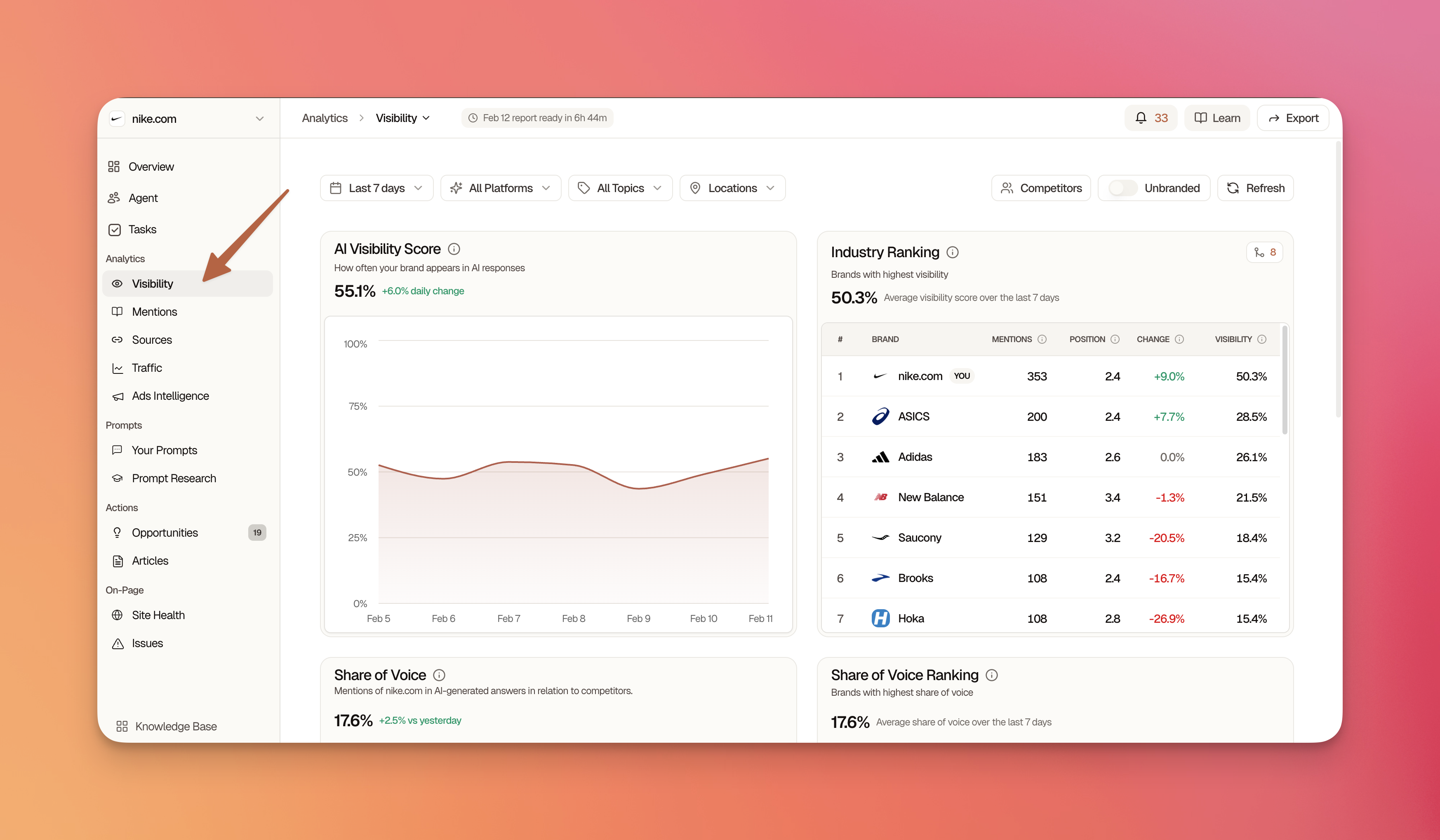
Review Your Visibility Metrics
After your report completes (typically 2-5 minutes), examine these key metrics:
| Metric | What It Means | Target |
|---|---|---|
| Visibility Score | How prominently you appear when mentioned | 60+ is good, 80+ is excellent |
| Presence Rate | % of prompts where you're mentioned at all | Depends on industry, 30%+ is solid |
| Share of Voice | Your mentions vs. total category mentions | Higher than top competitors |
Pro Tip: Click into individual prompts to see the full AI responses and understand how you're being mentioned.
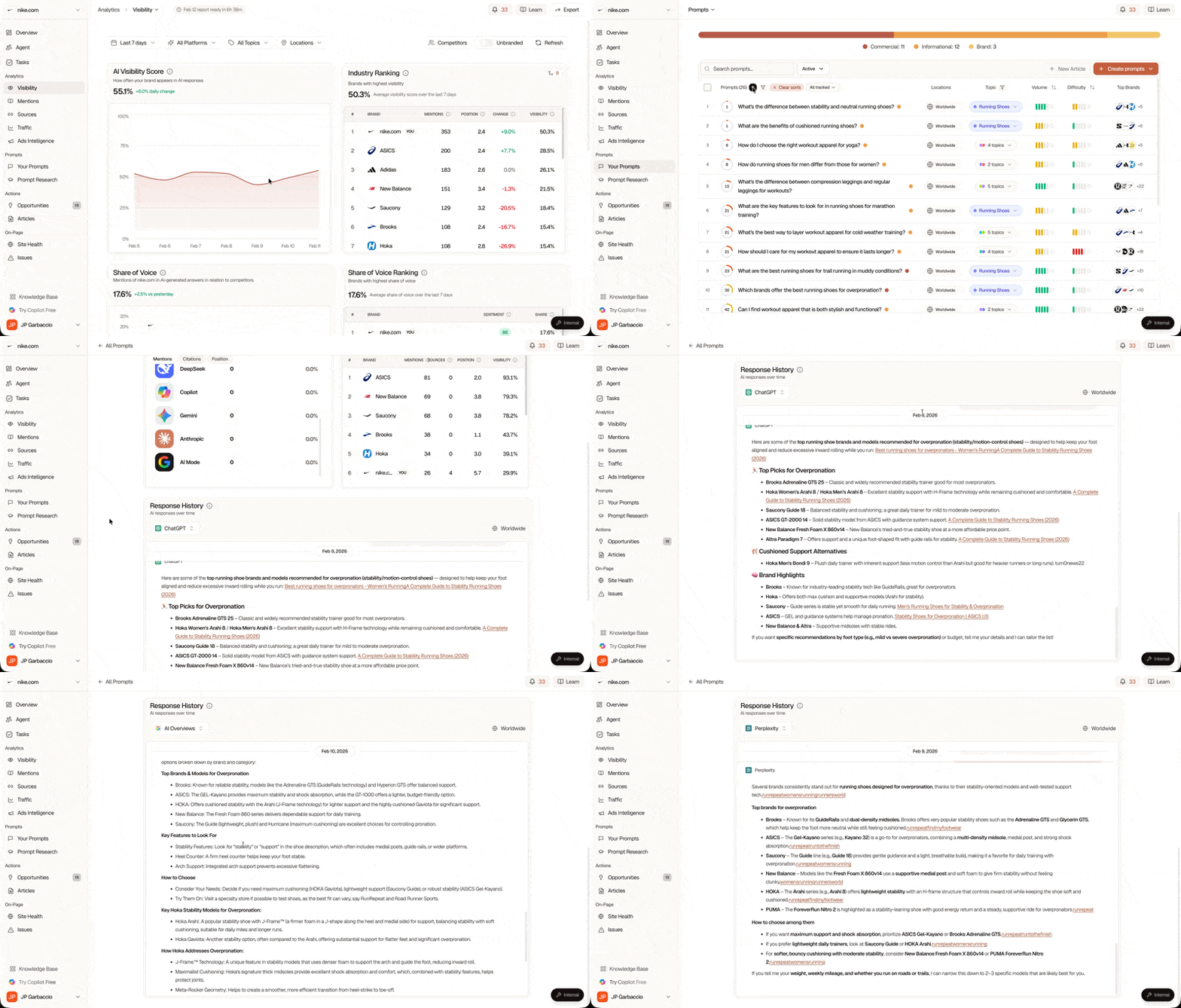
Document Your Starting Point
Use the Searchable Agent to create a baseline summary:
Analyze my current visibility performance and give me a baseline summary
including my scores across all platforms, my top-performing prompts,
and my biggest visibility gaps.
The Agent will pull your data and create a comprehensive baseline report you can save or share.
Phase 2: Build Your Prompt Strategy
With your baseline established, it's time to think about what you're actually tracking. Most brands start by monitoring their own name (which is fine), but that's only a small piece of the puzzle.
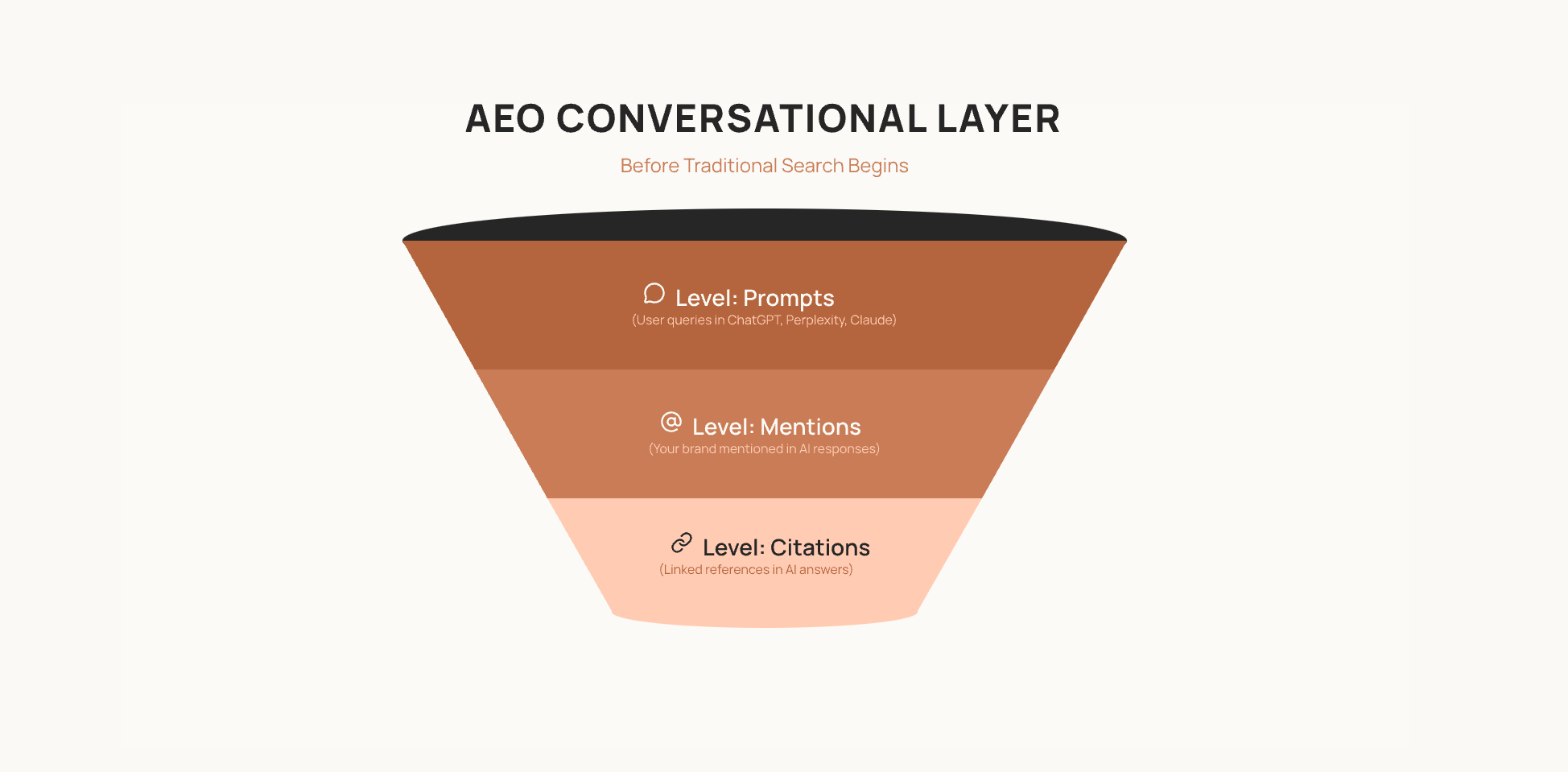
Think of your prompt library as a pyramid. At the base are brand queries: people searching for you by name. Above that are category queries where people ask about your space without mentioning anyone specific. Higher still are problem/solution queries, where people describe a need they don't yet know how to solve. And at the top are adjacent topics that let you build authority beyond your core offering.
Start with the Foundation
Begin with 5-10 prompts that directly mention your brand:
What is [Your Brand]?
Tell me about [Your Company]
How does [Your Product] work?
Is [Your Brand] any good?
[Your Brand] vs competitors
Generate Strategic Prompts with AI
Use the Searchable Agent to expand your library:
Based on my business context and industry, generate 30 strategic prompts
I should track for AEO. Include:
- 10 category queries (without my brand name)
- 15 problem/solution queries
- 5 adjacent topic queries
Format them so I can copy them directly.
Alternatively, use Prompt Research (Analytics → Prompts → Research tab) to discover AI-suggested prompts based on search patterns.
Phase 3: Competitive Intelligence
Now comes the part most brands skip. You need to understand not just your own visibility, but who's winning the conversations you're losing.
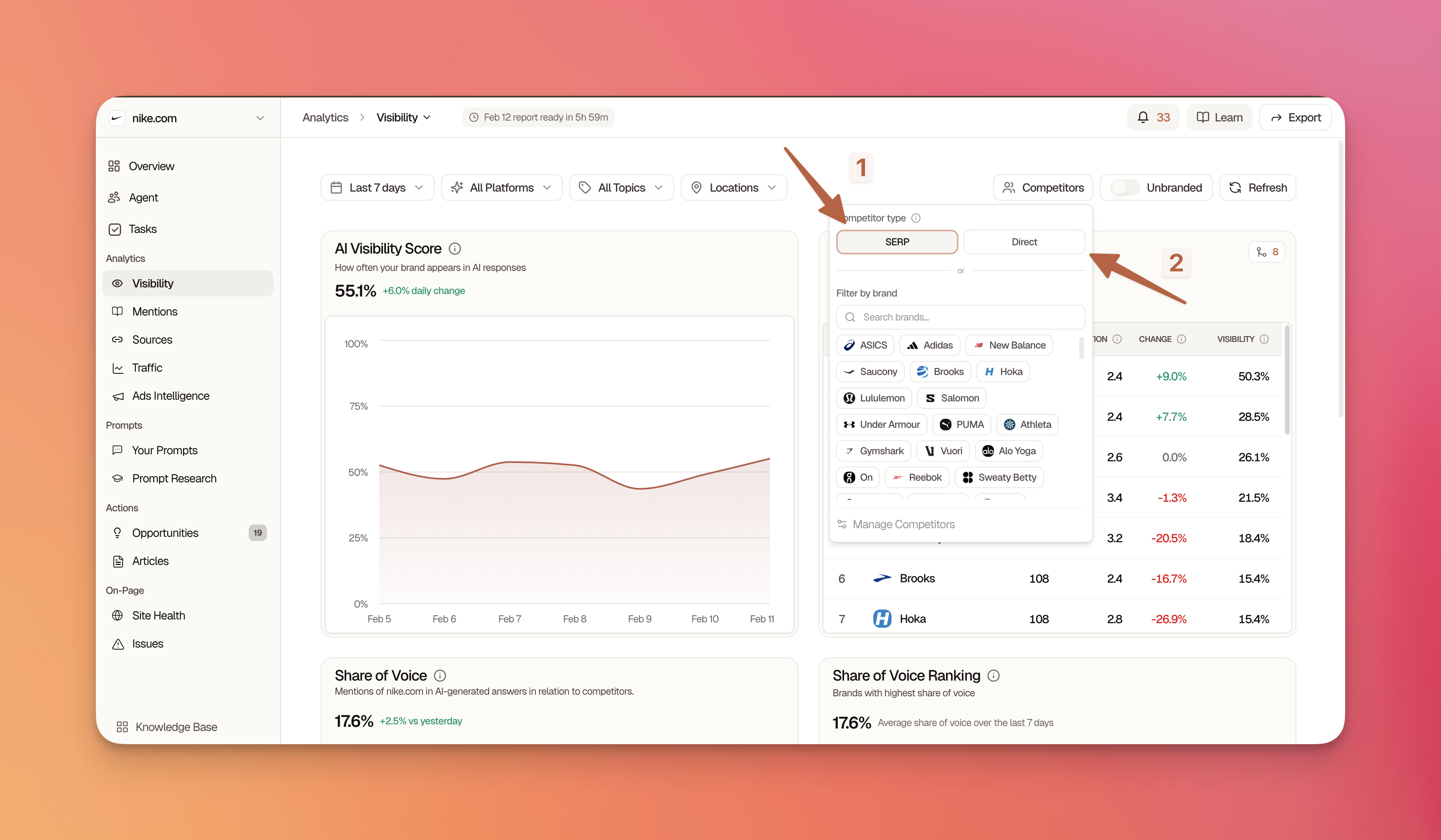
There are two types of competitors to track. The obvious ones are your direct business competitors: companies selling similar products to similar people. But the more interesting ones are your visibility competitors, the domains that keep appearing in AI responses for your target prompts even if they're not actually competing for your customers. A media site, an industry blog, or even a comparison platform might be eating your visibility without you realizing it.
Run the Gap Analysis
Use the Agent to map out the competitive landscape:
Run a competitor analysis comparing me against [Competitor 1, Competitor 2, Competitor 3].
Show me:
- Keywords they rank for that I don't
- AI queries where they get mentioned but I don't
- Their content strategy based on what AI cites
- Specific opportunities where I can compete
Create Your Competitive Positioning Map
Based on the analysis, document each competitor's market position, strengths, weaknesses, and your opportunity to compete.
| Competitor | Position | Their Strengths | Their Weaknesses | My Opportunity |
|---|---|---|---|---|
| Example Co | Market Leader | Brand recognition, content volume | Outdated info | Fresh perspectives |
| Rival Inc | Challenger | Technical depth | Complex language | Simplicity |
Phase 4: Content Gap Analysis
Here's where the work gets interesting. Filter your prompts by "Zero Mentions" and you'll see something that might be uncomfortable: every single prompt where AI talks about your category but never mentions you.
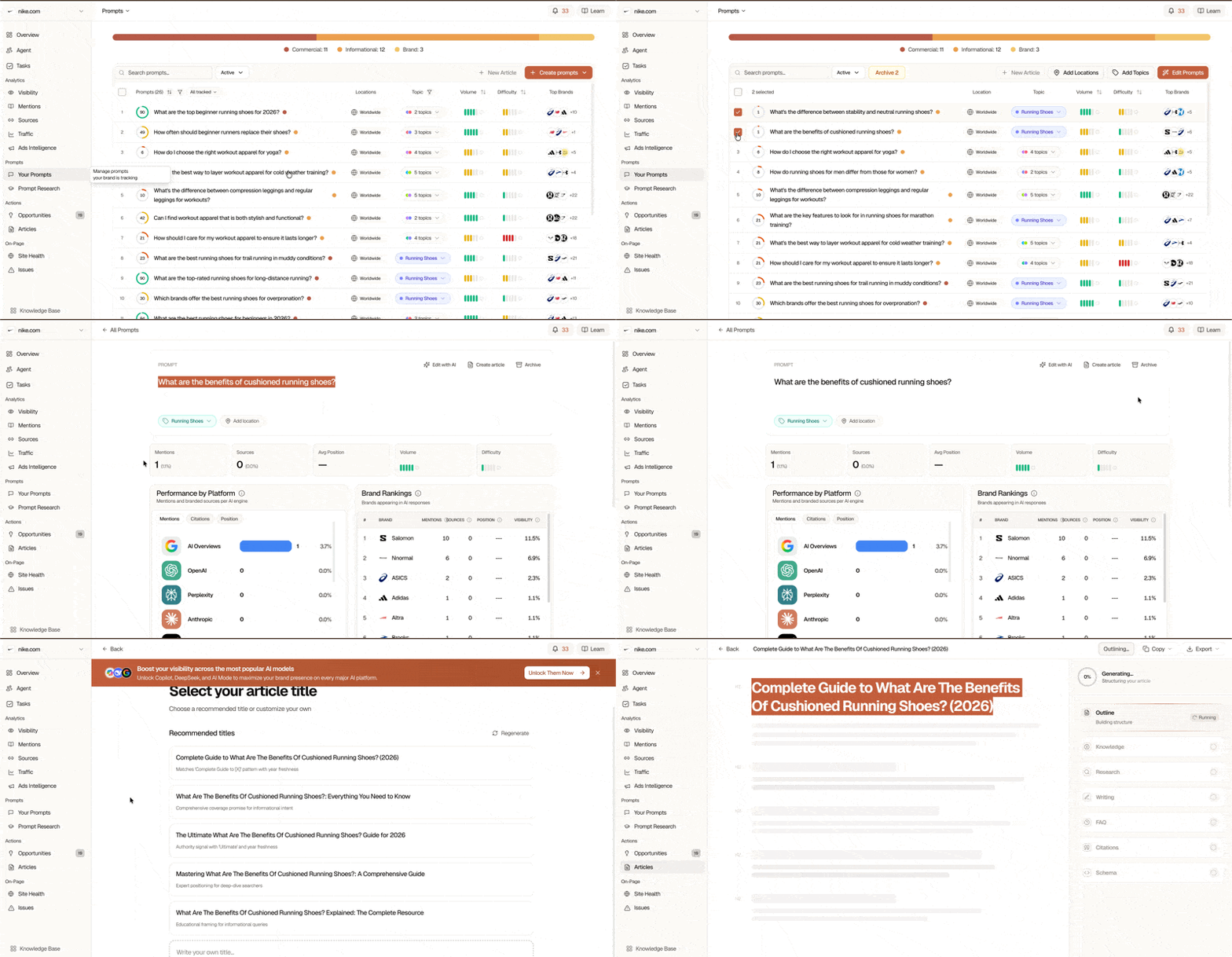
These aren't failures. They're opportunities. Each one represents a conversation happening without you, and a chance to change that.
Prioritize What to Fix First
Not all gaps are equal. Use the Agent to figure out which ones matter most:
Look at my prompts with zero or low visibility. Analyze each one and tell me:
1. Why AI isn't mentioning me (content gap? authority issue? competitive pressure?)
2. Which 5 prompts I should prioritize for content creation
3. What type of content would best address each gap
4. Estimated difficulty to improve (easy/medium/hard)
Map Content to Prompts
Create a content plan matrix:
| Prompt | Current Score | Content Needed | Priority | Effort |
|---|---|---|---|---|
| "Best X for Y" | 0% | Comparison article | High | Medium |
| "How to Z" | 15% | Tutorial update | High | Low |
| "What is ABC" | 45% | Definition enhancement | Medium | Low |
Phase 5: Build Your 90-Day Roadmap
You've got the data. You know where you stand, who's beating you, and where the gaps are. Now it's time to turn all of that into a plan you'll actually execute.
The First 30 Days: Quick Wins
Start with changes that take hours, not weeks. Add FAQ schema to your top pages. Put clear, direct answer paragraphs at the beginning of your key content, the kind AI can easily extract and cite. Add definition boxes for industry terms. These are the low-hanging fruit that can move your visibility score without requiring new content.
Ask the Agent to prioritize your specific quick wins:
Based on my current visibility data and site audit results, give me a
prioritized list of quick wins I can implement in the next 30 days to
improve my AEO scores. Focus on changes that require minimal effort
but high impact.
Days 31-60: Build Authority
Now you start creating. Write 2-3 comprehensive guides targeting your zero-mention prompts. Build comparison content that positions you against the competitors showing up in AI responses. Develop FAQ content that directly addresses the questions people are asking AI about your space.
This is also when you start thinking about citations. What original research or data can you create that others will reference? Who are the authoritative voices in your space, and how do you get them associated with your content?
Days 61-90: Go Strategic
The final phase is about building systems, not just content. Create topic clusters with pillar pages and supporting content. Implement internal linking strategies that help AI understand your site structure. Launch differentiated content angles that exploit the competitor weaknesses you identified earlier.
Phase 6: Review Your Automated Reports
Once you've completed the initial setup, Searchable takes over the monitoring. Visibility reports run automatically every night at midnight UTC, so you'll always have fresh data.
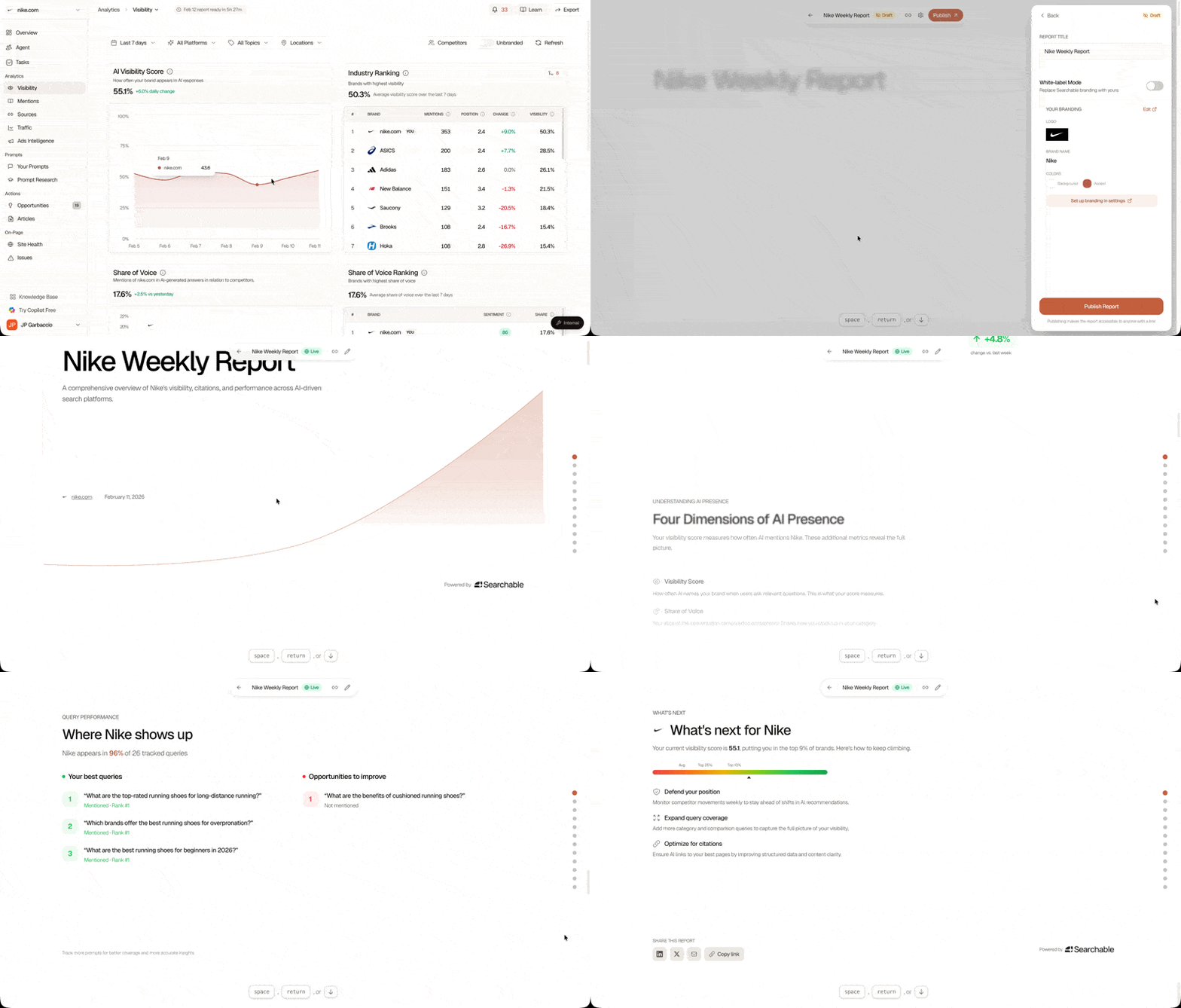
The key is building a weekly review habit. Every week, check whether your overall visibility score is trending up, whether more prompts are mentioning you than before, and whether you're gaining share of voice against competitors. Pay attention to platform-level differences too. You might be doing well on ChatGPT but poorly on Perplexity, which tells you something about where to focus.
Opportunity alerts are enabled by default. Each morning at 7 AM, the system identifies your top 5 opportunities and can send you an email digest. This keeps the most important actions in front of you without requiring you to dig through dashboards.
Success Metrics
Track these metrics to measure your AEO strategy success:
| Metric | 30-Day Target | 90-Day Target |
|---|---|---|
| Visibility Score | +10 points | +25 points |
| Presence Rate | +10% | +25% |
| Share of Voice | +5% | +15% |
| Zero-mention prompts | -30% | -60% |
Using the Agent Throughout
One thing worth emphasizing: you don't have to do any of this alone. The Searchable Agent is available throughout every phase of this workflow, and it has access to all your visibility data.
Need a complete 90-day strategy? Just ask:
Create a comprehensive AEO strategy for the next 90 days based on my
current visibility data, audit scores, and competitive position.
Want to know how things are trending? Ask for a comparison:
Compare my visibility performance this week vs. last week.
What improved? What declined? What should I focus on next?
Ready to create content? Get a brief that's already optimized for AI citations:
Create a detailed content brief for [topic] optimized for AI citations.
Include target keywords, structure, questions to answer, and schema recommendations.
Where to Go Next
This workflow gives you the foundation, but it's just the beginning. Once you've established your baseline and built your initial roadmap, there are several paths forward depending on what matters most to your team:
Deep Competitor Analysis if you're in a competitive market and need to understand exactly how rivals are winning AI visibility.
Content Gap & Planning if your priority is building out a content program to close the gaps you've identified.
Create Task List if you need to break this down into specific, assignable tasks for your team.
Automate Reporting if you're managing stakeholders who need regular updates on AI visibility progress.
Frequently Asked Questions
How long does this actually take?
Realistically, 5-7 days if you're doing it properly. You'll see value from Day 1 since your baseline report is immediately useful, but the deeper insights come from completing each phase in sequence. Don't rush it.
Do I need a Professional account?
Professional or higher gives you automated daily reports, advanced prompt research, and unlimited agent queries. You can get through the core workflow on any paid plan, but you'll get more out of it with Professional.
What if I haven't connected Google Search Console?
GSC integration is optional. It helps you generate better prompts by showing what keywords you already rank for, and it's useful for seeing how traditional search correlates with AI visibility. But the workflow works without it.
Can the Agent do most of this for me?
Yes, honestly. The Agent has access to all your data and can run analyses, generate strategies, and create content briefs. This workflow teaches you the thinking, but once you understand it, the Agent can handle most of the execution.
What should I do after I finish this?
Depends on your situation. Competitive market? Do the Deep Competitor Analysis. Content team ready to produce? Go to Content Gap & Planning. Need to delegate? Create a Task List. Managing stakeholders? Set up Automated Reporting.